Fabbster assembly
 From EduTechWiki - Reading time: 17 min
<pageby comments="false"/>
The Fabbster is a low cost 3D printer kit that can be assembled by people with some do-it-yourself skills.
Introduction[edit | edit source]
Important. This article refers to a "pilot program" printer and the draft manual version 1.10 and not the "final" home-user version.
I just finished assembling and started testing ! You will find gibberish and small mistakes in the text. I'll spend some time repairing these now and then ....
- Daniel K. Schneider 14:11, 24 April 2012
See also:
- Fabbster 3D printer (short overview)
- Fabbster testing and setup (including software installation and calibration)
- Netfabb engine for RepRap (explains how print and material styles work)
- 3D printing category and its 3D parent category...
The fabbster kit[edit | edit source]
The fabbster is a kind of modified Mendel design that targets the home market.
Where and what[edit | edit source]
Getting it The kit is sold through retailers and costs about 1500 € (incl. VAT., e.g. here). It will be shipped sometimes soon (May 2012?). I got ours for 500 € through their (March 2012) pilot program.
Software
- A basic slicer program (STL to machine code configurator/translator) from Netfabb is included in the price. The machine code is closed source and not documented, meaning that you will have to use this Netfabb program.
- The printer comes with an electronic box that can print either through a connected PC or via a SD card. You also can put a file on the SD, then launch it from the PC (this is better solution for large files)
- Driver software for Windows XP/VISTA/7 can be downloaded from the wiki.
Materials
- Custom made ABS sticks or 3mm ABS rolls
- PLA sticks or rolls
The parts
Unlike the RapMan, the fabbster is based on very few different kinds of parts:
- Most of the structure uses so-called "cassettes", i.e. good for most everything 8.5x7.6cm plastic parts
- Most screws and bolts have the same size.
Assembly[edit | edit source]
The assembly manual
- Assembly is described in a bilingual German/English assembly handbook (Version 1.10 is a color PDF file in A4 portrait format and includes 57 pages and about 42 for the assembly process itself.
- Steps are explained on sheets that included the following information:
- Parts (prepare them first)
- A graphic explaining the assembly step
- Some detail views
- A global progress view
Other documentation
- Wiki
- support forums
Build time depends:
- On your DYI skills
- On your technical reading skills
- On your capacity to follow instructions (undoing is easy, but adds time)
- On how well you want it to be done
- On how fast (without breaks etc) you plan to work
In my opinion, it can be anything between three and thirty hours (or more if you make a lot of mistakes). It took me about 22 hours (including initial testing, wiki writing etc.). Pure assembling therefore took less. But I do count problem-solving and basic testing as "build time".
Important: Build time refers to the pilot version. The final home-user version should take much less time.
Suggestions
- The manual should be improved a bit:
- some mistakes must be fixed,
- some explanations must be added,
- Insert upfront a graphic that labels the most important elements (axis, names of the motors). e.g. see this. Users must understand what they are building. Some won't ....
- Some parts don't fit well: Fabbster is in the process of fixing this
- 1-2 parts need a redesign: Fabbster is in the process of fixing this
- The testing/calibration/software installation part is currently badly documented: Fabbster will fix this too I hope :)
If I had to assemble a second one, I'd certainly do it in 4 hours but then I wouldn't. Once every two years is enough (see RapMan).
Assembly of the geometry[edit | edit source]

Important disclaimer.
Notes and tips below refer to a "pilot program" printer and the draft manual version 1.10. Their purpose is to help other pilot program participants. The model that will be shipped to future normal customers will be different: Some parts may be easier to assemble, colors may change, manual will change, etc. - Daniel K. Schneider 17:12, 25 April 2012 (CEST).
Below, we shall not describe the whole assembly since there is a good manual. We just will write down some tips and maybe some problems we will find.
Overall, assembly of the geometry is fairly easy as compared to a RapMan for example.
Preparation[edit | edit source]
- Retrieve it
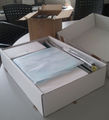
- Before you open the boxes, take a picture. This makes an nice souvenir. More importantly such a picture is useful in case something is damaged as I learned just a week ago. I also ordered a (custom made pre-assembled) Felixprinter and on arrival it was broken. Must have fallen off a truck or something :(
- Inventory
- Open the box. Ideally you should have a fairly big table at your disposal during assembly.
- Make an inventory of the parts. I skipped that, since I trust German efficiency :). The manual includes a part list.
- Inside the box
-
-

-

-


- Tools needed
- Most tools needed come with the kit: a hammer, 2 hex keys (allen keys in English English) and cutting pliers (clippers)
Additional tools suggested:
- A ruler,
- a (cheap) electronic caliper,
- plastic tape,
- a 2nd hex key (same size as the bigger green one, preferably a high-quality one with a ball end)
- You can use an electric screwdriver, but use minimal force
- strong (cheap) flat pliers (for forcing bearings into gears)
- a flat metal file and a round one (needle file). Filing away some uneven surface could do wonders !
- An electric power cord if you live in a non-EU plug country (Switzerland, UK, etc.).
- Mental preparation
- Look at the pictures at the end of the fabbster manual in order to understand what you are going to build ! YouTube videos are also an option.
- Assembly space / table

- Bigger is better
Tip:
- If you do this at work, use the conference room (less meetings for a while ....)

Step 1 - p. 10[edit | edit source]
Objective: Assembly of the motors
Manual improvement:
- The icon of the B4 screw should be changed, it's really small and black. Although it's ok in the detailed picture.
Tips:
- To keep the two big nuts in place, use some light tape. This allows to put the motor on the table and the plastic on top. You then can easily screw the bolts and push in the orange part. You can pull out the tape before you work on the bolt near the motor (do the other 3 first).
- The orange pulley is hard to push onto the motor shaft. Don't push it too far since it is difficult to pull it out again.
Steps 2 & 3 - p. 11/12[edit | edit source]
Objective: Assembly of left and right side of the bottom structure
Tips:
- Insert the E4 clamps first
- Tape down the 9 nuts and put the cassette on the table (nuts down)
- Insert the bolts in the other cassette, turn it and press it onto the table so that the bolts will move in.
- Alternatively (faster): Put 4 corner bolts on the table, cassette on top, then insert 4 bolts, then the rest one by one
- The head of a B1 bolt is about 5mm (helps positioning the rod)
Step 4[edit | edit source]
Objective: Connecting left and right side of the base structure with front and back rods
- Manual
- It is not clear how far to push in the rods, but 5mm like above is just fine. You will have to fine tune this anyhow once you are done assembling...
- Tips
- none, this is an easy step. Well, don't forget to push in both rods first.

Step 5[edit | edit source]
Objective: Create a part of the y axis (opposite the motor in step 7)
Tips:
- Be careful not to forget the anything !
- Holes for the clamps are bit too narrow.
- You could try to pressing the clamps into their holes with a rod. Put the cassette on the floor, then apply well directed force.
- Put 4 cassettes under the lower cassette in order to be able to work on it (see the picture)
- Make sure that the assembled cassettes remains in the middle of the rod (edge to edge distance about 16cm). If you do this right from start, i.e. all distances equal, only 90 degree angles, i.e. no skewing, then you will have much less geometry calibration work to do at the end ...
Step 6[edit | edit source]
Objective: Rods of the y-axis
Tips:
- Turn the cassette up, pull out the belt, before inserting the rods
- The linear bearings (C2) are in the little blue boxes. Don't forget them ...

Step 7[edit | edit source]
Objective: Motor end of the y-axis and fixing the y-rods
Tips:
- Verify that the motor is well attached to the screws, i.e. tighten the four little screws if needed. Later you won't be able to do that.
- Verify that the orange pulley is pushed into the motor shaft like it should, i.e. about 2mm left. Use your new fancy blue pliers to cut a small piece of a 2mm thick object and put it in the hole. A standard small match that you can get for free is about 2mm in diameter.
- Make sure that the clamps are well in place
- Finally: remember that it is useless to tighten the screws a lot since you will have to calibrate the whole geometry later, i.e. you will have to pull cassettes out so that the belts are tight and the whole will a prefect rectangle. Just tighten until the cassettes won't move and no more.

Step 8[edit | edit source]
Objective: Cassette for the platform that will move forward/backward on the y-axis
Tips:
- Again: You could put three other cassettes underneath the bottom cassette in order to work on it comfortably
- Make sure the that linear bearings fit snugly into place. They should not move.
- Make sure that the belt touches the bottom of the cassette. Only then add the little green piece that will block the belt.
- Then, screw 4 corners first and after that remove the support cassettes and do the rest.


Steps 9 & 12[edit | edit source]
Objective: Bottom ends of the two z-axis
Tips
- Tighten the screws of the motor
- If you prefer working "flat", look at the picture to the right
- Leave the nuts quite loose, because you will have to insert rods in step 10
Steps 10 & 13[edit | edit source]
Objective: Z-Rods
(easy)
- Tighten the bolts a bit

Steps 11 & 14[edit | edit source]
Objective: Top ends of the two z-axis structures
Tips:
- Make sure that the bearings are well pushed down into the casing of the cassette
- Make sure that the belt turns


Step 15[edit | edit source]
Objective: Stabilizing the top and bottom (connecting the 2 z-axis) (easy)
Tips:
- Insert the rods first
- Lower rod is towards front, upper towards back
- Calibrate a bit: Upper rod should stick in like the lower (i.e. each rod should be pushed in about 5mm. Use the cap of a black (normal) bolt as cue. Cap height is about 5mm.

Step 16[edit | edit source]
Objective: X-axis motor on the z-axis (moving up and down)
Tips:
- Push in 6 black bolts first (middle and outside)
- Make sure that the linear bearings fit snugly, and then push the cassette down
- Do not forget that the belt (one end) must be inside (that was my only big mistake so far and I discovered it on Step 18 ...)
- Do not tighten since you will have to push in rods in step 17
- Finally I find it easier to do step 18 first
Step 17[edit | edit source]
Objective: Rods and bearings of the X-axis
(easy, but don't forget the linear bearings !)
Step 18[edit | edit source]
Objective: X-axis - the other end
This is the most difficult assembly step so far. You may ask a person to help.
Tips:
- Push in 6 black bolts first (middle and outside)
- Make sure that the linear bearings fit snugly, and then push the cassette down
- Keep one side of the belt inside

Step 19[edit | edit source]
Objective: Cassette for extruder
Tips:
- As always, make sure that every thing fits. In particular, be careful to stick the belt "behind" the green piece that will block it.
- In case the belt is too tight (was my case), adjust the geometry, untighten the 4x2 bolts that hold the 3 lower and the upper horizontal rod and gently hammer the cassettes in.

Step 20[edit | edit source]
Objective: Extruder motor
Tips:
- Attach the green casing to the motor first. Tighten the screws.
- Push down the little orange center gear. I used the hole of a cassette for starters, then I applied a border to push it down. I then put the green cover on top and hammered. Make sure it's down. Else the the planetary gears won't turn as nicely.
- Grease the planet gears (inside) and assemble. I put the gears into the casing and then added the top, but there may be a better way ....
- Test if you can turn it. There is some resistance though, hopefully not too much. If it won't turn, then restart !!
Step 21[edit | edit source]
Objective: Attach the motor to the x-axis cassette

Steps 22 and 23[edit | edit source]
Objective: Calibration of the geometry. Make the e-box fit.
Tips:
- Open the green plastic box (electronics) and remove the SD card that is taped there.
- Insert the 2 bolts like in the picture (right)
- Then make the case with the electronics fit (distance between the cassettes is about 12cm (a tiny bit less)
- You now likely will have to push the whole vertical z-frame backwards or forwards.
- You probably will have to loosen at least 2x6 of the bolts on bottom cassettes of the z-structure.
- On the other side, I did not attach the other e-box part, but I used a caliper (faster and probably more precise)
Step 24[edit | edit source]
Objective: Calibration continued (y-axis belt)
Tips:
- Loosen the bolts of the three font cassettes (if needed). I.e. I suggest loosing the 3x5 that are close to the rods.
- Then do the 16cm - 16cm calibration of the y axis (both in front and back). The point is that this axis should be at 90 degrees. Also, you should anticipate step 26, i.e. also try to get the x-axis belt tight.
- Then hammer a tiny bit on each outer cassette until the middle y-axis belt (that will move the platform) is tight.
- I also suggest using a caliper to make distances on both sides equal. I got distances of about 125.8 mm, but this can be different on yours. Depends on how far you pushed in your rods. The more rectangular you geometry is, the better print quality will be (that's what I learned from my RapMan
- In order to test tension (2-3 seconds of vibration), move the gliding cassette to one end. Belts should be tight, but not too tight. Very short vibes means too tight.
Step 25[edit | edit source]
Objective: Calibration of z-axis
Tips:
- Listen to the sound of the vibrating belts, left and right must be same
- Slide the y-axis (extruder) up/down, it should be smooth
- Once your are done, tighten the lateral bolts
Step 26[edit | edit source]
Objective: Calibration of x-axis
Tips:
- This is probably the most difficult to fix, since you will have to work on 8 cassettes, i.e. 4 rods. Loosen all the upper rods if hammering doesn't work
- I was lucky and didn't have to change anything, since I paid attention to this step already in step 24 :)
Step 27[edit | edit source]
Objective 1: Final test
- All three cassettes on the axis move nicely
- All belts vibrate 2-3 seconds
- The geometry should respect strictly equal distances between cassettes. All angles are 90 degrees. If you don't respect this principle, your 3D prints will loose quality.
- If something is wrong, repeat any steps 22-26 above
Objective 2: Tighten
- Now tighten all the bolts. However, there is no need to tighten like a nut (pun intended). If you tighten too much, you could squeeze the linear bearings or even break something.
Assembly of the extruder[edit | edit source]


Step 28[edit | edit source]
Objective: Assemble the feeder gear. Do this right ! Besides having a good geometry, having a perfect extruder is mission critical. Bad extruders are the main problem of first generation "reprap" kits. This one looks much tougher :)
Tips: The bearings do not fit well into the metal gears. I used the following procedure:
- Grease inside the gears
- File the gears ! I didn't do that, but that was stupid. Filing away some uneven bits could do wonders. See the next item that explains why you should go and buy a cheap needle file ....
- Use pliers to press the bearings inside the gears. Press on one end (a bit), then turn, press again, turn etc. That lasts at least 10 minutes for the two. Make sure to use flat pliers (i.e. not cutting pliers) and just press on the rim of the bearings. Continue until they are almost fully inserted. "Almost" means some fraction of a mm.
- I don't think that using a hammer or cooking are good ideas. But if I'd have some spare bearings I'd certainly would try hammering first.
- I have no clue why the gears should be aligned like in the picture (watch out for the little carvings). I mean, they just should fit, but I did it anyhow as told in the manual:)

Step 29[edit | edit source]
Objective: Attach gear to motor
Again, the drive shaft is very hard to drive into the bearing. One solution is to use a metal file to remove some uneven bits (doesn't need much).
Tips:
- Carefully check how you have to assemble. First part is easy.
- Hammer it in (part I): Tap on the shaft and not on the bearing on the other side
- Hammer it in (part II): Find two wooden blocks or tables (office furniture will do), put the bearing on top over the gap, then hammer again. For the last bit use a big screwdriver and hammer on top of that. (see picture to the right)
- Make sure that it turns. You can easily loosen the bearing. Now that the shaft has been hammered it will move easily (just hammer a bit on the other end).
- Next, hammer in the orange part. Make sure that it is fully down. Again use a big screwdriver or similar for hammering on the metal side of the shaft.
- Finally, wiggle it onto the motor cassette
Notes:
- Do not use plumbing pliers since you can damage both the case and the bearing (I almost did)
Step 30[edit | edit source]
Objective: Heater, i.e. add heating wire to the nozzle (heater)
There was some unevenness at the end of the nozzle that I evened out with a screwdriver. Also "bend the nose" is a fairly ambiguous term and I don't understand what that means. Finally, the wire I got had too much heat isolation at the end.
- Winding the heating wire (resistance)
-

-

-


Tips:
- Make sure that the heating wire is close to the metal, i.e. it should not stick out.
- Don't pull with force. Inside the white wire, there is a small metal wire that will heat the nozzle (like in toaster). It can break and you won't print !
- Push it in with your thumb starting at the end. Do it slowly and carefully or you will regret it later. This step is important !
- I then cut off about 1-2 cm from the additional protection, else I couldn't spin the wire up to the top. However, I later learned that this is not necessary.
- I really don't understand what "bending the nose" could mean. I just left it as is.

Step 31[edit | edit source]
Objective: Heat sensor and connectors for heat sensor and resistance wire
Figure on the left side of the manual is wrong. Heat sensor goes into heat sensor hole and not the larger one where the plastic will go ...
Tips:
- Use a paper clip to understand how far the heat sensor should be pushed in. There shouldn't be any problem (dirt inside) but one never knows ...
- Attaching the cables is easy. Just do it right.
Mission critical
- Inspect the heat sensor.
- If it has a red dot, then you must invert the female and male wires somewhere.

Dig into the fabbster forums and/or the fabbster wiki if you don't believe me.
To invert wirings, there are several solutions. I used Adrien E.'s:
- Remove the wires from the male connector next to the extruder
- To do so, press with a paper clip and pull. See the picture below.
Remember what you did !
- If you did invert the wires in the male plug, you may have to change this back when you get a new heater (nozzle plus wire). This is fairly likely, since some day when you are tired, you will drive it cold into the platform. I did that on my RapMan ;)


Step 32[edit | edit source]
Objective: Attache the heater to the rest of the extruder
Tips:
- Both cables must be bent outwards. Look at graphic 1 to the right in the manual.
- Resistor wire is too long to fit. Bend it.
- Resistor connector: Turn it sideways (that is: make its depth as small as possible)
- Fit the plate and make sure that no wire is stuck ...
Step 33[edit | edit source]
(easy)
Tips:
- After adding the fan, tighten all the bolts
- Then, clip the cover. The bottom doesn't fit 100% because of the bottom bolts but that doesn't matter
Assembly of the cables[edit | edit source]
Step 34[edit | edit source]
Objective: Add the e-box
- The bolts are not long enough to fix it properly, don't worry they will be ok once you add the other half ....

Step 35/36[edit | edit source]
Objective: Put the cable of the right z-axis motor into a 36cm conduit
This was so far the most hateful step since I didn't fully try to understand what I had to do, so I lost time undoing. Read carefully.
Tips:
- Tape the two connectors together, one after the other, or it won't pass
- Pull the cable through the pipe
- Then turn the machine (back is now in front of you). Else you will get it wrong
- Fold cable 3x to your left (right z-axis motor) and push it in
- Fold cable 4x on your right (left z-axis motor) and push it in
- Now tape the other 2ends
- Pull both ends of the two motor cables through the hole in the cassette (anticipation of step 37)
- Close pipe brackets. This is painfully difficult if you do it wrong. Just clip it on one ring of the tube
- Single cable end. Cable must come out through the hole on the side since the end of the pipe bracket will go into a hole of the cassette.
- Double cable end. The motor cable must come out through the hole on the side
- Push both cable ends through the hole in the cassette and see if the tube fits into the cassettes on both ends. If not, give up (who cares since you always can tape the cables) or restart...
- Important: Label the plugs of one of the two motor cables, e.g. "z-motor right" using a felt pen or a tag or something. Otherwise, you won't know later which is which if there is a problem.
Step 37[edit | edit source]
Objective: Tube the previous cable (step 36)
Tips:
- The pipe may be a bit too short. Pull it out (yes it will stretch). But you can do that later ...

Step 38[edit | edit source]
Objective: Pipe cable of x-axis motor.
Tips:
- Again, cable will enter through the lateral hole of the pipe bracket
- The orange pipe bracket that sits on top of the cassette must stick. Therefore, you will have to open the cassette again (Did you think that you were done with that ? ... nope)
- Since the tube may hit the structure on top if the platform goes up, you also could have it come out from the end (like the extruder). But since it will not stick I went for the "normal" procedure. Still, there is something that does not feel right.
- I opened the cassette and inserted the bracket, even if the manual doesn't explicitly say so. Don't open all the way, just enough to squeeze in the lower part of the bracket. Use a screwdriver to pry it open. Important: Turn the tube outwards toward the back and pull out some cable if you must. This way it can move later. These brackets are not symmetrical.
- Test the thing by moving up and down the z-axis !

Step 39[edit | edit source]
Objective: same as above but for the y axis motor in the back
Tips:
- This time definitely open the cassette and insert the orange pipe bracket. This tube must not move.
Step 40[edit | edit source]
Objective: extruder cable tubing
Being fed up with cables, I wont explain, it's easy. Well, maybe consider putting a layer or tape around the end so that it will stick better.

Step 41[edit | edit source]
Objective: Wiring the motors
- Tips:
- Should not be too hard since in principle you can trust the yellow/red wires (they are always toward the right) and M1, M2, M3 and M4 are labelled on the board.
- Finally, having a label on the Z-axis (left and right) could be useful, in case you will have to switch.
Objective: Power
- Since the power sits in the other half, you can't connect the electricity before you did the rest. The two halves must be be close.
- The connector seems to be in the upper left corner of the upper board (and the other power connector should go to the upper left corner of the lower board.
- Black (-) cable is up, red (+) is down for both.

Step 42[edit | edit source]
Objective: Wiring the temp. sensors, heater and extruder fan
Tips:
- Temp sensor is easy. Black/white thing goes on the lower board to the right of some dangling thing.
- Heater goes left, 2nd to the bottom of the lower board. Red wire up
- Extruder fan goes left, bottom of the lower board. In my kit, the fan has some black clamps about 30 cm down from the plug and it has the longer wires. Red wire up.

Step 43[edit | edit source]
Objective: power connectors
As explained in step 41. I did it there.
E-box assembly[edit | edit source]
Objective: Assemble the E-case
- Don't do it now, do the testing first !, read Fabbster testing and setup

Tips
- Firstly, you may consider pushing some cables back into the tubing
- Then attach the tubes (at least the two on top) with some tape or ask a second person for help .....

- In the German support forum there was a tip with respect assembling the bolt and nut on top. Pushing the nut inside the hole and holding the tubes in place is not easy. Screw the nut onto a "helper" bolt (about 1/4) then insert it. Now screw the real bolt until it grips, then remove this "helper" bolt.
- I put the printer sideways, i.e. box on top. This way it's much easier to hold the cover down and adjust the tubes.
- Make sure that orange part is well inserted !
- Also, when you screw, the case makes a noise like pig. Enjoy and just do it.

Extra tips from the Fabbster forums[edit | edit source]
Assembly:
- fixating the cable pipes with tape saves 2 to 4 helping hands when it comes to closing the e-box
- try to put as much cable length as possible in the pipes to reduce the cable-in-the-box-mayhem
- bend the 80mm pipe in step 37 in the right shape before putting in the cables
- heating the extruder gear in an oven or the kettle to ~50°C+ makes it more easy to assemble the parts. Also apply some grease in this step
- Use files to smooth plastic parts when they do not fit !
Links[edit | edit source]
- Official
- Fabbster Home
- Fabbster forums
- Fabbster wiki (Includes all the documentation). Sometimes, a wiki page just links to a file, e.g.
- assembly handbook
- drivers and software
Copyright modification[edit | edit source]
Contents of this page is available as CC-BY, meaning that commercial sites can reuse and remix text or pictures if they cite us.
In addition, Sintermask/Fabbster can copy/paste both texts and pictures associated with this article to their support sites without needing to cite us.
However, given the doubtful quality of the pictures made with a cell phone, I doubt that anyone would like these ;)
- Daniel K. Schneider 22:08, 25 April 2012 (CEST)
 EncycloReader
is supported by the
EncycloReader
is supported by the  KSF
KSF